Project styles: Standardised design for your entire project
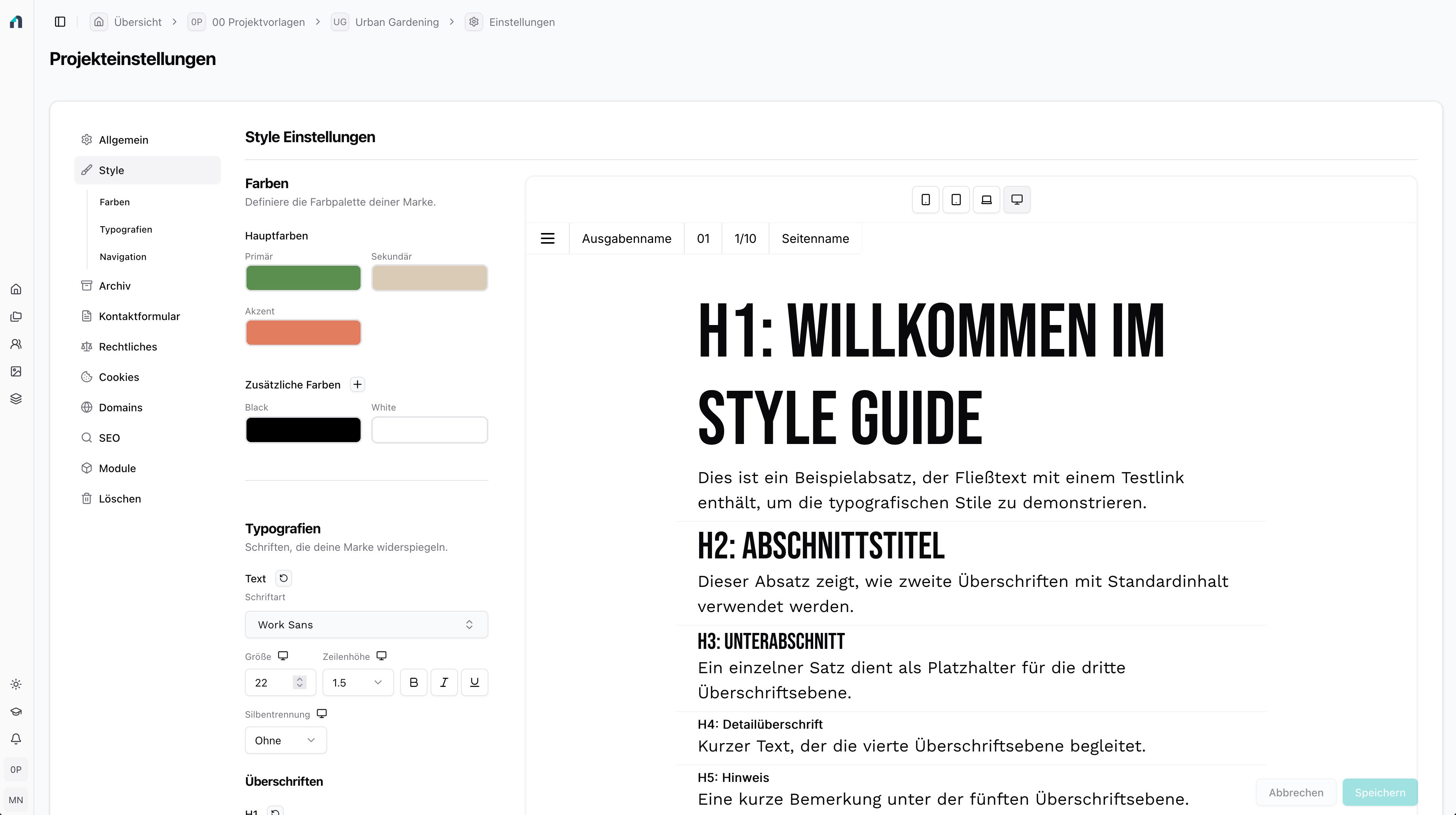
With the project styles, you define the complete design of your Novamag project centrally. Colours, typography and navigation are defined once and automatically applied to all pages - for a consistent, professional appearance on every end device.
Colours: Flexible and CI-compliant
Three basic colours are available to you: Primary, secondary and accent. You can easily adjust these using our colour editor - including HEX, RGB and other colour formats. If you need additional colour tones, you can create as many additional colours as you like and name them freely. This means you always have quick access to the exact palette that suits your brand.
Typography: complete control for every end device
You can define individual typography styles for text and headlines from H1 to H6 - separately for desktop, notebook, tablet and smartphone.
Each style consists of:
- Font
- Font colour
- Font size
- Line height
- Hyphenation
- Bold, italic, underline and other attributes
All settings are applied globally so that your project is perfectly typographed on all devices. You can also create your own, freely nameable typography sets to flexibly implement special design styles.
Navigation: design and interaction according to your rules
In the navigation area, you design the entire appearance of your project navigation. Colours, fonts, sizes, spacing and hover effects can be set precisely so that the interaction of your readers appears clear, modern and consistent.
State-of-the-art technologies for effective communication
Novamag combines design, functionality and marketing and offers you a range of state-of-the-art technologies to effectively share your content with your target group.